The Power of Ergonomics: Creating a Workspace That Works for You
In an age where many of us spend long hours seated at a desk, the way we design our workspaces can have a profound effect on our health, comfort, and productivity. This is where ergonomics comes into play—a field dedicated to shaping environments that support the people who use them. Whether you’re working remotely, in an office, or setting up a study nook, applying ergonomic principles can make your daily routine more comfortable and efficient.
Understanding Ergonomics
Ergonomics is all about designing tools, furniture, and workflows that align with the human body’s natural movements and posture. The aim is to reduce physical strain, prevent injuries, and improve overall performance. A well-thought-out ergonomic setup encourages good posture, minimizes repetitive stress, and adapts to individual needs.
Why Ergonomics Is Essential
Neglecting ergonomics can lead to a range of physical issues, including:
- Strain injuries such as carpal tunnel syndrome
- Back and neck discomfort from poor seating or posture
- Eye fatigue due to improper screen positioning
- Reduced energy and focus
On the other hand, a workspace designed with ergonomics in mind can:
- Increase comfort and concentration
- Lower the risk of work-related injuries
- Improve mood and job satisfaction
- Enhance productivity and efficiency
Must-Have Ergonomic Furniture
Here are some key pieces that can transform your workspace:
Adjustable Desks
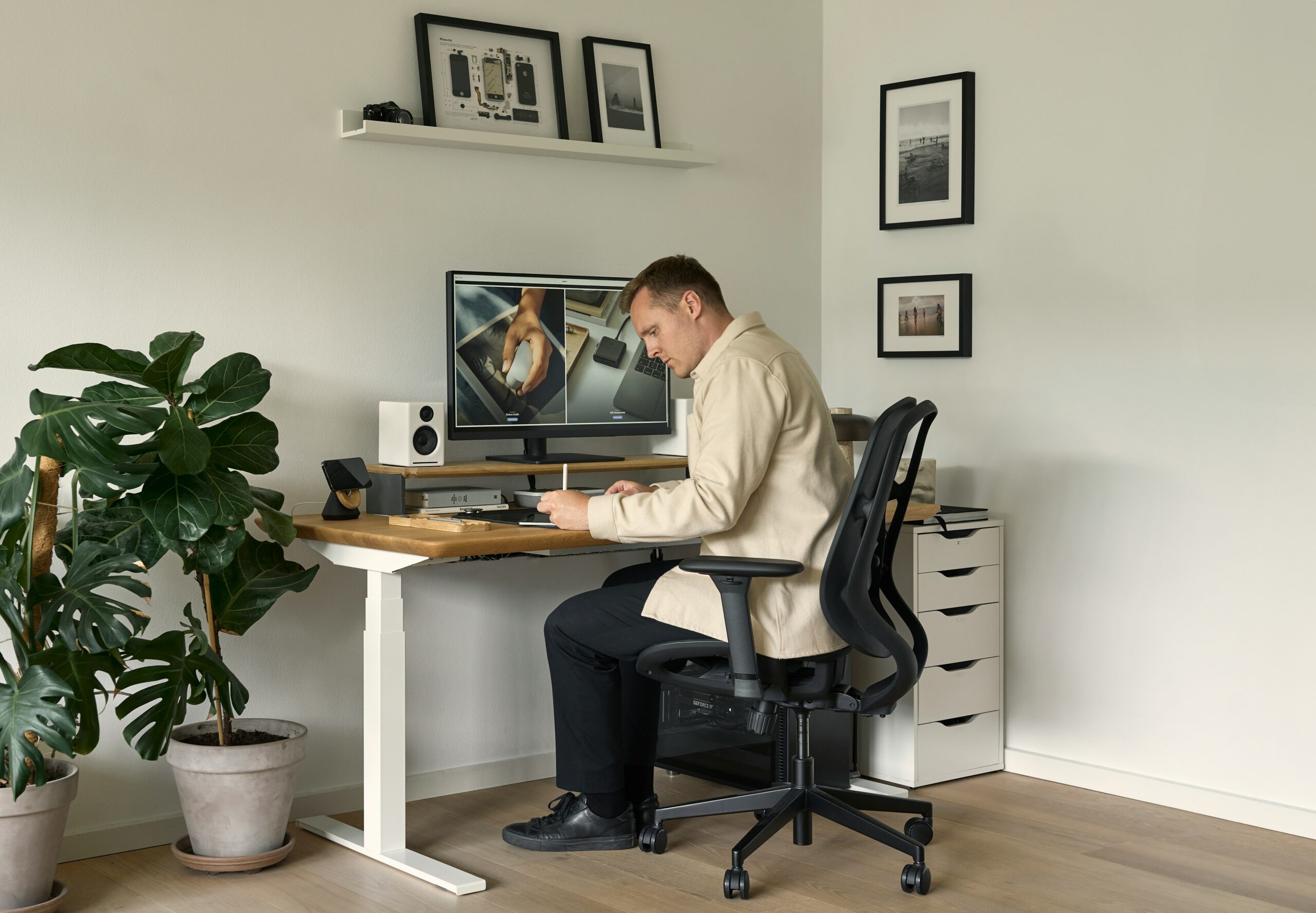
Also known as sit-stand desks, these allow you to switch between sitting and standing throughout the day, promoting movement and reducing sedentary time.
Ergonomic Chairs
A supportive chair is essential. Look for features like adjustable height, lumbar support, and armrests. Chairs that allow slight movement help keep muscles active and reduce stiffness.
Monitor Arms
These tools help position your screen at eye level, which reduces neck strain and frees up desk space. They’re especially useful for multi-monitor setups.
How to Set Up Your Workstation for Comfort and Health
You don’t need a complete office overhaul to benefit from ergonomics. Here are some simple adjustments you can make:
- Chair Position: Your feet should rest flat on the floor, with knees bent at a 90-degree angle.
- Monitor Height: The top of your screen should be at or just below eye level, about an arm’s length away.
- Keyboard and Mouse: Keep them at elbow height with your wrists in a neutral position.
- Lighting: Use natural light when possible and avoid screen glare. Task lighting can help reduce eye strain.
- Movement Breaks: Take short breaks every 30–60 minutes to stretch, walk, or change your posture.
Final Thoughts
Ergonomics isn’t just about buying new furniture—it’s about creating a space that supports your body and helps you work smarter. Whether you’re a student, a professional, or someone working from home, small ergonomic changes can lead to big improvements in your well-being and productivity.
#FormOfficeInteriors #ErgonomicWorkspace #HealthyWorkHabits #WorkplaceWellness #SmartOfficeDesign #ProductivityTips #OfficeDesignAustralia